Want to watch movies online without the buffering, pop-ups, and sketchy redirects? You’re not alone — millions of people search for free streaming every month, but the safest and best experience comes from legal sources. The good news: in 2026, you can watch thousands of movies online completely free and legally, and paid subscriptions have never been more competitive.
This guide breaks down every legitimate way to watch movies online: free ad-supported services, subscription platforms, rentals, and even library apps. No piracy, no risk — just great films on your screen in minutes.
Is It Legal to Watch Movies Online for Free?
Yes — as long as the service has the rights to stream the content. Free legal streaming services make money from ads instead of subscriptions, so you pay with a few commercial breaks instead of a monthly fee. Sites that stream brand-new theatrical releases for free with no ads or licensing deals are almost certainly unlicensed, and those are the ones to avoid. A good rule of thumb: if the site looks professional, names its content partners, and doesn’t bombard you with pop-ups, it’s probably legit. You can also learn how to spot risky sites in our guide to whether sites like 123movies are safe.
Best Free Services to Watch Movies Online
Free ad-supported streaming TV (FAST) has exploded in quality. These platforms are 100% legal and cost nothing:
1. Tubi
Tubi is the king of free legal streaming, with a library of tens of thousands of movies and TV shows — from cult classics to recent releases. It’s owned by Fox, so licensing is fully above board, and it’s available on nearly every device. You can browse the full catalog at Tubi’s official site and start watching instantly with no sign-up required.
2. Pluto TV
Pluto TV mixes live channels with on-demand movies. It feels like old-school cable TV but free, with hundreds of themed channels (action, comedy, horror, documentaries) alongside a deep on-demand movie library.
3. Amazon Freevee
Amazon’s free tier offers a solid lineup of movies and originals funded by ads. If you already use Amazon devices like Fire TV, Freevee is built right in and integrates smoothly with Alexa voice search.
4. The Roku Channel
You don’t need a Roku device to use it — The Roku Channel works in any browser and on most smart TVs. Its movie library includes plenty of recognizable titles, plus free live TV channels.
5. YouTube (Free With Ads Section)
YouTube’s “Movies & TV” section has a rotating selection of free, ad-supported films from major studios. Quality varies, but you’ll regularly find well-known titles here.
6. Kanopy and Hoopla (Free With a Library Card)
One of the best-kept secrets in streaming: many public libraries give you free access to Kanopy and Hoopla. Kanopy specializes in critically acclaimed films, documentaries, and world cinema, while Hoopla adds movies, music, and audiobooks. All you need is a library card — no fees, no ads on Kanopy.
7. Plex (Free Tier)
Plex started as a personal media server app, but its free streaming section now offers thousands of on-demand movies and live channels. It’s a great option if you already use Plex to organize your own media collection.
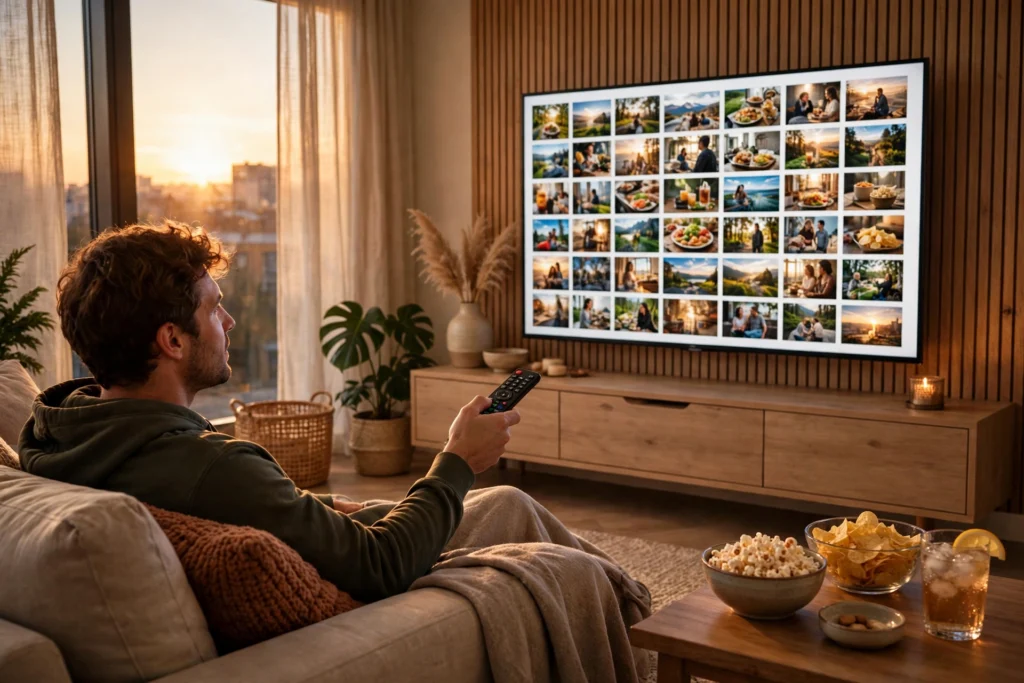
Best Paid Subscription Services in 2026
If you want new releases, originals, and an ad-free experience, subscriptions are still king. Here’s how the major players stack up for movie lovers:
- Netflix — The biggest original-movie catalog, with weekly new releases and strong international films.
- Disney+ — Essential for Marvel, Star Wars, Pixar, and Disney classics; the bundle with Hulu adds serious depth.
- Prime Video — Included with Amazon Prime; strong for rentals too, with one of the largest digital storefronts.
- Max — Home to Warner Bros. films, HBO originals, and a deep classic-movie collection via Turner Classic Movies.
- Hulu — Great for recent releases and indie films, especially bundled with Disney+.
- Paramount+ — Mission: Impossible, Top Gun, and a deep back catalog from Paramount’s century of filmmaking.
- Apple TV+ — Smaller library, but a very high hit rate on original films.
Pro tip: rotate subscriptions. Subscribe to one or two services at a time, binge what you want, cancel, and switch. Most platforms are month-to-month with no contract, so there’s no reason to pay for five services simultaneously.
Rent or Buy: The Digital Storefronts
Sometimes you just want one specific movie tonight. Digital rental is the answer:
- Amazon Prime Video store — New releases typically available to rent 45–60 days after theaters.
- Apple TV app — Excellent 4K quality and frequent sales on purchases.
- Google TV / YouTube — Rent or buy across Android and the web.
- Vudu (Fandango at Home) — Regular discount bundles and a “disc-to-digital” program.
Rentals usually cost $3.99–$5.99 and give you 48 hours to finish once you press play. Purchases ($9.99–$19.99) live in your library forever — well, as long as the store exists, which is worth remembering.
Tips for the Best Streaming Experience
Check Your Internet Speed First
Most buffering problems aren’t the service’s fault. For smooth HD streaming you need about 5 Mbps; for 4K, aim for 25 Mbps. Run a speed test before blaming the app, and use a wired Ethernet connection or 5 GHz Wi-Fi for your TV if possible.
Use a Streaming Aggregator
With content scattered across a dozen services, aggregator apps tell you exactly where any movie is streaming, rentable, or free. Search the title once instead of opening six apps — it saves real time every movie night.
Mind Your Region
Libraries differ by country because of licensing deals. If a friend in another country recommends something “on Netflix,” it might not be on your local Netflix. Free services like Tubi also vary by region.
Set Up Profiles and Parental Controls
Every major service supports profiles — use them. Kids’ profiles filter out age-inappropriate content automatically, and separate profiles keep your recommendations clean. PIN-protect purchases so nobody accidentally rents a $20 movie.
Download for Offline Viewing
Netflix, Disney+, Prime Video, and Max all let you download movies to phones and tablets. Download before flights, commutes, or trips with spotty Wi-Fi. Note that free ad-supported services usually don’t offer downloads.
Watch Your Data Cap
Streaming in 4K uses about 7 GB per hour. If your internet plan has a data cap, drop to HD (about 3 GB/hour) in the app’s settings to avoid overage fees or throttling.
What to Avoid When You Watch Movies Online
Not every site offering free movies is legitimate. Steer clear of sites that:
- Stream movies still in theaters or just released, for free, with no visible business model
- Bombard you with pop-ups, fake “play” buttons, or download prompts
- Ask you to disable your ad blocker or install unknown software to watch
- Have constantly changing domain names (.to, .is, .ru variants)
- Request credit card details for a “free” account
These unlicensed sites fund themselves through aggressive advertising — including malvertising that can infect your device. The few dollars you might save aren’t worth a malware infection or stolen credentials. Stick to the legal options above and you’ll never have to worry.
Frequently Asked Questions
Where can I watch movies online for free legally?
Tubi, Pluto TV, Freevee, The Roku Channel, and YouTube’s free movies section are all fully legal and free. If you have a library card, Kanopy and Hoopla add thousands more titles at no cost.
Do I need to sign up to watch free movies online?
Most free services work without an account, though signing up (free) usually unlocks watchlists, resume-across-devices, and personalized recommendations. Never pay or enter credit card details for a service advertised as free.
What’s the cheapest way to watch new movies online?
Renting digitally ($3.99–$5.99) beats any subscription if you only watch a few new releases a month. Alternatively, rotate one subscription at a time and cancel between binges.
Can I watch movies online in 4K for free?
Rarely. Free ad-supported services typically stream in HD (720p/1080p). 4K HDR is mostly reserved for paid subscriptions and premium rentals on services like Apple TV and Prime Video.
Is it safe to watch movies on free streaming sites?
It’s safe on legitimate, licensed platforms like the ones listed in this guide. Unlicensed sites, on the other hand, are a common source of malware, phishing, and scam pop-ups — always verify a service is legal before pressing play.
Conclusion
Learning how to watch movies online the right way comes down to one principle: use services that actually license their content. Between Tubi, Pluto TV, Freevee, library apps like Kanopy, and the major subscriptions, there’s a legal option for every budget — including zero dollars. Set up a free service tonight, build a watchlist, and enjoy movie night without the pop-ups, the malware risk, or the guilt. Your next great film is one click away, and it’s completely above board.
About the Author