If you have ever paid for an audiobook only to discover it was available for free at your library, you are not alone. Millions of people carry a library card and never realize it unlocks thousands of ebooks, audiobooks, magazines, and more — all without spending a penny. Libby is the app that makes this possible. It is the reading and listening app from OverDrive, built specifically for library patrons, and it turns your phone or tablet into a portable library branch.
The question that comes up every time someone hears about it is simple: is Libby really free, or is there a catch hiding in the fine print? The short answer is that Libby is completely free to use. According to the official OverDrive page, the app is free to install, with no subscription costs, no in-app purchases, and no late fees — all you need is a valid library card. But there are a few details worth understanding: who can use it, what you can borrow, and how it differs from paid services. This guide explains everything.
What Is Libby?
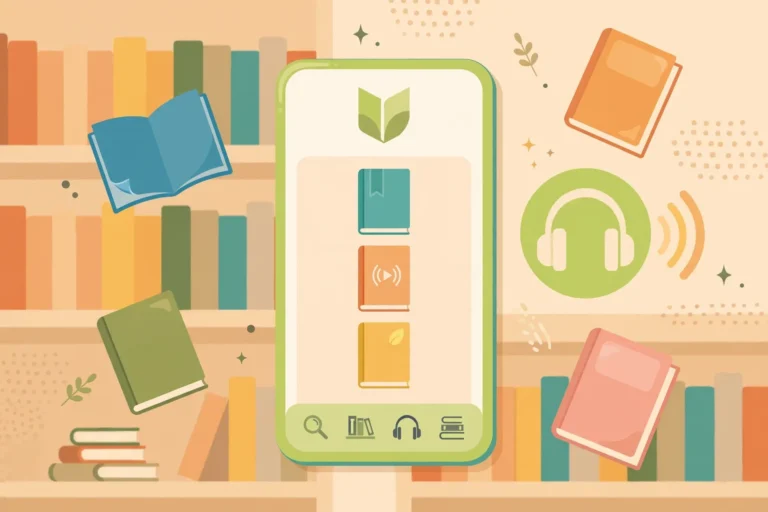
Libby is a free library app created by OverDrive, the company that has powered digital borrowing for libraries for years. Think of it as your library’s digital front door: you sign in with your library card, browse your library’s digital shelves, and borrow ebooks, audiobooks, and magazines the same way you would check out physical books — except everything happens on your phone, tablet, or computer.
Unlike streaming services that sell subscriptions directly to consumers, Libby works through your library. Your library buys digital copies of books and other media, and you borrow them through the app at no cost. The model is the same one libraries have used for centuries — the institution buys the books, and patrons read them for free — simply extended to digital formats.
You can download the official Libby app for phones and tablets, or use it right in a web browser. It is designed to be friendly for all ages, from kids discovering their first chapter books to adults working through bestseller lists.
So, Is Libby Really Free?
Yes. For library patrons, Libby costs nothing to download and nothing to use. There are no subscription tiers, no premium upgrades, and no in-app purchases. When your borrowing period ends, titles simply return themselves — there are no late fees and no fines, ever.
This works because the library pays, not you. Libraries license digital titles through OverDrive and pay for access so their cardholders can borrow freely. It is the same principle as walking into a physical library: the building already bought the books, so you read them for free.
There are two things to keep in mind:
- You need a library card. A valid card from a participating library is required to sign in. Many libraries let you sign up for a card online in minutes, and some even let you get one directly inside the Libby app using your phone number.
- Your library must use OverDrive. Most public libraries in North America do, and the service is available in dozens of countries — but not every library system participates. If yours does not, you cannot create an account on your own, since there is no paid individual plan.
How Libby Works
Getting started takes only a few minutes. Here is the process:
1. Install the App
Download Libby from the App Store, Google Play, or Amazon Appstore, or open it in a web browser. The app is free everywhere it is offered, and you will never be asked for payment details.
2. Find Your Library and Sign In
When you first open Libby, the app asks you to find your library. Search by name, city, or postal code. Then enter your library card number — the PIN is usually the one you use at your library’s own website. Some libraries also support signing in with a phone number.
3. Browse and Borrow
Once signed in, you can browse your library’s digital collection: new releases, bestsellers, curated lists, subjects, and guides. Tap “Borrow” on a title to check it out instantly, or tap “Place Hold” if all copies are currently checked out. Popular titles often have waitlists, just like physical books.
4. Read or Listen
Borrowed ebooks open in Libby’s built-in reader, where you can adjust font size, layout, and lighting, and add bookmarks, notes, and highlights. Audiobooks play in a dedicated player with skip controls, playback-speed adjustment up to 3x, and a sleep timer. You can stream titles or download them for offline reading and listening — handy for commutes, flights, and anywhere with spotty internet.
5. Titles Return Themselves
When the lending period ends, borrowed titles return automatically. There is nothing to renew, nothing to return manually, and no late fees. Your holds, tags, and reading history stay saved in your account.
What Can You Borrow on Libby?
The exact selection depends on your library — librarians choose the titles based on their community’s needs — but most libraries offer a broad digital collection:
- Ebooks — from classics to current bestsellers, across every genre.
- Audiobooks — professionally narrated editions, including many of the same new releases as the ebook shelves.
- Magazines — digital editions of popular magazines, often with article mode for easy reading.
- Children’s titles — picture books, early readers, and young-adult books and audiobooks.
- Curated lists and guides — librarian-made collections that make discovering your next read genuinely enjoyable.
One limitation worth knowing: Libby carries only digital content. You cannot use it to borrow physical books — for that you still visit the building. And because each library licenses its own collection, two cardholders in different cities may see different catalogs.
Libby vs. Paid Reading Services
If you already pay for a subscription book service, Libby is worth a second look. The core difference is simple: paid services charge you a monthly fee for unlimited or credit-based access, while Libby is free because your library already paid for the collection.
- Cost: Libby is free; paid services charge monthly.
- Catalog: Paid services often have larger, always-available catalogs. Libby’s selection is chosen by your library, and popular titles can have holds.
- Availability: With a paid subscription, you get new releases immediately. With Libby, you may wait in a holds queue for the most popular titles — but patience saves real money.
- Ownership: Neither service sells you the books; both are borrowing models.
Many readers use both: Libby for most of their reading, and a paid service only when they cannot wait for a hold. If you read or listen to even a few books a month, the savings add up fast.
Tips for Getting the Most Out of Libby
- Use holds strategically. Place holds on popular titles early — the queue moves faster than you think, and you can suspend a hold if the timing is wrong.
- Tag books for later. Libby’s tags work like a personal to-be-read list, so you never lose track of a recommendation.
- Download for offline. Download audiobooks before flights or commutes to avoid buffering.
- Send ebooks to Kindle. If you prefer reading on a Kindle, Libby can send US library ebooks to your device.
- Explore beyond bestsellers. The curated lists and subject guides are where the hidden gems live.
- Check magazine subscriptions. Many libraries offer digital magazines in Libby that would cost money as standalone subscriptions.
Pairing Libby With Free Streaming
Libby covers reading and listening, but your free entertainment does not have to stop there. If you also enjoy free streaming video, services like ad-supported TV apps round out the picture nicely. For example, if you are curious about no-cost viewing options, our guide on whether Xumo is free breaks down another legitimate free service. Between a library app and free streaming, cutting back on paid subscriptions has never been easier.
Frequently Asked Questions
Is Libby really free, or is there a hidden charge?
It is genuinely free. The app is free to install, with no subscription costs, no in-app purchases, and no late fees, according to the official OverDrive page. Your library pays for the content; you just need a valid library card.
Do I need a library card to use Libby?
Yes. A valid library card from a participating library is required to sign in. Some libraries let you get a card directly inside the app using your phone number; otherwise, check your library’s website for online signup.
What devices does Libby work on?
Libby works on phones and tablets through the free app, and in a web browser on computers. You can read or listen across supported devices, stream titles, or download them for offline use.
Can I use Libby on my Kindle?
Yes — in the US, Libby can send library ebooks to a Kindle. Audiobooks play in the Libby app itself, which also supports car playback through Apple CarPlay, Android Auto, and Bluetooth.
Why is there a wait for some titles?
Libraries license a limited number of digital copies of each title, so popular books can have holds, just like physical copies. Place a hold and the title is delivered automatically when it is your turn — or browse the “available now” filters for something to read meanwhile.
Does Libby show ads?
No. Libby is ad-free. It is funded by libraries, not advertising, so nothing interrupts your reading or listening.
Can I keep borrowed books forever?
No. Borrows have a lending period, after which titles return automatically. But your holds, tags, notes, and reading history are saved, so you can borrow a favorite again anytime.
Final Verdict
Libby is one of the best free apps most people have never tried. It is genuinely free, ad-free, and backed by the same libraries you already fund with your taxes. The only requirements — a library card and a participating library — are things most people can sort out in a few minutes. The trade-offs, mainly holds on popular titles, are minor compared to the savings: every book you borrow is one you did not have to buy.
If you have a library card gathering dust, install the app today. Between free books, audiobooks, and magazines on Libby and free streaming elsewhere, you might find your paid subscriptions getting a lot less use.
About the Author

1 thought on “Is Libby Free? How the Library App Works”