Peacock, NBCUniversal’s streaming service, launched with a genuinely free tier that attracted millions of viewers. So it’s no surprise that one of the most common questions about the platform is still “is Peacock free?” The answer today is a little more complicated than it used to be. The free plan for new users has been discontinued, but Peacock still offers one of the most affordable entries into premium streaming. Here’s exactly where things stand, what each tier includes, and how to get the most value.
The Short Answer: Is Peacock Free?
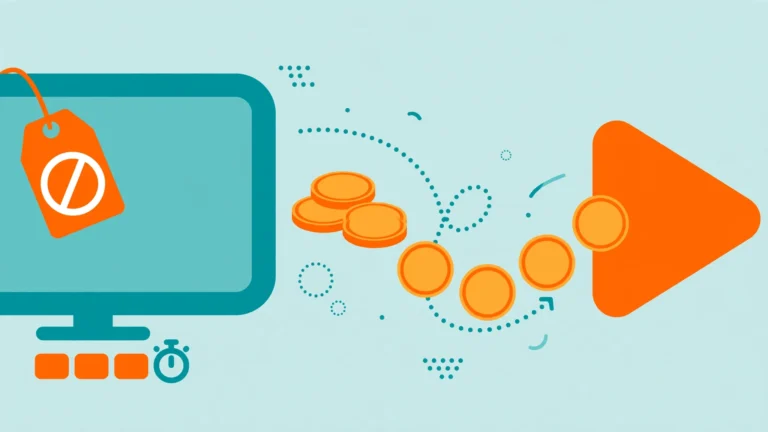
Peacock is no longer free for new sign-ups. The ad-supported free tier that existed at launch was discontinued for new users in early 2023. Everyone signing up today must choose one of the paid plans.
However, there’s an important exception: some longtime users who signed up during the free era were grandfathered in and may still have limited free access, depending on their account status. And certain cable or internet providers have historically bundled Peacock Premium at no extra cost for their subscribers — so it’s always worth checking whether your provider includes it.
For everyone else, Peacock is a paid service — but a relatively inexpensive one compared with rivals like Netflix or Disney+.
What Is Peacock?
Peacock is the streaming home of NBCUniversal, the media giant behind NBC, Bravo, Universal Pictures, and the WWE. The service offers a deep bench of content: classic and current NBC and Bravo series, blockbuster Universal films, Peacock Originals, live sports including Premier League soccer and WWE events, 24/7 channels, daily news, and Spanish-language programming from Telemundo.
The name comes from NBC’s iconic peacock logo, and the platform has grown into a serious competitor in the streaming wars — particularly for sports fans and anyone who loves NBC’s catalog of sitcoms and reality TV.
Peacock’s Plans and Tiers Explained
Peacock currently offers three tiers. Pricing can change, so always confirm the current rates on Peacock’s official website — but here’s what each tier is designed to offer:
Select
The entry-level tier. Select gives you access to TV favorites from NBC, Bravo, and more — with ads. It’s the most affordable way in, but it excludes sports, movies, and Peacock Originals. Think of it as a catch-up TV package: great if you mainly want to keep up with current NBC and Bravo shows, less useful if you want the full Peacock experience.
Premium (Most Popular)
This is Peacock’s flagship tier and the one most subscribers choose. Premium includes everything in Select, plus:
- Hit movies from Universal and partner studios
- Peacock Originals — exclusive series you can’t watch anywhere else
- Live sports and events — Premier League, WWE, golf, cycling, and more
- Peacock Channels streaming 24/7
- Daily live news, late-night shows, kids’ programming, and Telemundo content
All of this comes with advertising, similar to a standard cable experience.
Premium Plus
The top tier includes everything in Premium, but with no ads (limited exceptions — some channels, live sports, and a small number of titles still carry ads). It also adds:
- Downloads for offline viewing on mobile devices
- Access to your local NBC channel live, 24/7
Premium Plus is the pick for ad-averse viewers and commuters who want offline downloads.
All plans are available monthly or annually, with the annual option typically working out to about ten months’ price for twelve months of service. Peacock also periodically offers student discounts for eligible college and university students, which can cut the monthly cost significantly.

What Happened to Peacock’s Free Tier?
When Peacock launched in 2020, its free tier was a major selling point: thousands of hours of content at no cost, supported by ads. It helped the service grow its audience quickly in a crowded market.
In January 2023, NBCUniversal stopped offering the free tier to new subscribers, pushing new users toward the paid plans instead. The company framed the move as a shift toward a more sustainable business focused on paying subscribers. Existing free users were largely transitioned or grandfathered depending on how they had signed up — particularly those whose free access came through a cable provider bundle.
This is part of a broader industry trend: several streaming services that launched with free or ultra-cheap tiers have since raised prices or eliminated free options as the economics of streaming matured. Peacock’s paid plans remain among the cheapest in the industry, which softens the blow.
How to Get Peacock at the Lowest Price
If the answer to “is Peacock free” is disappointing, the good news is that there are legitimate ways to pay less than full price:
- Check your cable or internet provider. Xfinity and some other providers have included Peacock Premium with certain packages. Log into your provider account or call them to ask — many people have access without realizing it.
- Go annual. The yearly plan consistently offers the best per-month value, effectively giving you around two months free compared with paying monthly.
- Look for the student discount. Eligible students can get Premium at a steep discount for 12 months.
- Watch for promotional deals. Peacock frequently runs limited-time offers — discounted annual plans around major sporting events or holidays are common. A quick search before subscribing often turns up a deal.
- Consider the Select tier. If you only care about NBC and Bravo shows and don’t need sports or movies, Select is the cheapest legitimate entry point.
- Gift cards. Peacock gift cards go on sale occasionally and make a good way to prepay at a discount.
Peacock vs. Free Streaming Services
It’s worth putting Peacock in context. If your budget is strictly zero, ad-supported services like Tubi, Pluto TV, and The Roku Channel offer genuinely free, legal streaming — no subscription at all. They make money from ads, just like broadcast TV always has. We break down one of the best-known options in our guide Is Tubi safe?, which covers how legitimate free platforms work and how to tell them apart from shady pirate sites.
The trade-off is content: free services generally offer older library titles rather than brand-new originals and live sports. Peacock Premium sits in the middle — paid, but cheap, with current shows, originals, and live events that free services can’t match. Many households sensibly use both: a free service for casual browsing and Peacock (or similar) for the shows they actually follow.
What Devices Support Peacock?
Peacock has broad device support, so you can watch almost anywhere:
- Smart TVs: Samsung, LG, Vizio, Android TV, Hisense, and others
- Streaming devices: Roku, Amazon Fire TV, Apple TV, Chromecast
- Game consoles: PlayStation and Xbox, plus Meta VR devices
- Mobile: iPhone, iPad, Android phones and tablets, Fire Tablet
- Computers: streaming through any modern web browser on Windows, macOS, or ChromeOS
- Cable boxes: Xfinity, Cox, and similar provider platforms
You can stream on multiple devices, making it easy to start a show on your TV and finish it on your phone.
Is Peacock Worth Paying For?
That depends on what you watch. Peacock is arguably the best value in streaming for three specific audiences:
- Sports fans — Premier League soccer, WWE premium live events, golf, and cycling coverage make Premium a bargain compared with dedicated sports packages.
- NBC/Bravo loyalists — if you follow shows like Saturday Night Live, The Voice, or Bravo’s reality lineup, Peacock is the natural home for current seasons and next-day episodes.
- Movie fans on a budget — Universal’s theatrical films land on Peacock, giving Premium subscribers a steady stream of recent blockbusters at one of the lowest prices in streaming.
If none of those apply to you, the Select tier or a genuinely free service may be the smarter play. But for its target audience, Peacock delivers a lot of content per dollar — which is exactly why the “is Peacock free” question keeps coming up. People remember the free tier fondly, and the paid plans are priced to keep that goodwill going.
Frequently Asked Questions
Is Peacock free with Amazon Prime?
No. Peacock is not included with Amazon Prime. It’s a separate NBCUniversal service that requires its own subscription, though you can watch it on Fire TV devices with the Peacock app.
Can I still get Peacock for free?
New users cannot get Peacock free — the free tier was discontinued in 2023. Your best options are checking whether your cable or internet provider bundles Peacock Premium, or using a completely free legal service like Tubi or Pluto TV instead.
Does Peacock offer a free trial?
Peacock does not consistently offer a free trial. Trial availability has varied over time and by promotion, so check the official site when you sign up — but don’t count on one being available.
What’s the cheapest Peacock plan?
The Select tier is the cheapest paid option, covering NBC and Bravo TV favorites with ads. Premium costs more but adds movies, originals, sports, and channels — most subscribers find it the better value.
Can I share my Peacock account?
Peacock allows streaming on multiple devices and supports multiple profiles per account, so household sharing is straightforward. Sharing outside your household violates the terms of service, as with most streaming platforms.
How do I cancel Peacock?
You can cancel anytime through your account settings on the Peacock website or via the platform you subscribed through (such as Apple, Google, or Roku). There’s no contract and no cancellation fee — your access simply continues until the end of the current billing period.
About the Author